Quick answer: Automated follow-up matters more in 2026 because the cost of a slow reply has gone up, not down – buyers compare you against competitors within minutes, and a business that depends on someone remembering to follow up is losing leads it already paid for or earned. Automation doesn’t replace the sale; it makes sure the lead survives long enough for a human to make it.
Automated follow-up matters more in 2026 because the cost of a slow reply has gone up, not down. Buyers compare you against competitors in minutes, not days, and a business that relies on someone remembering to follow up is quietly losing leads it already paid for or earned.
I’ve audited enough GoHighLevel accounts and client pipelines to know this isn’t a hot take. It’s just what the data, and the missed-lead reports I pull every week, keep showing. Most of my time is split between building the websites and funnels clients actually run their lead generation through and fixing what happens to those leads after the form gets submitted.
Why Leads Get Lost
Most lead loss isn’t dramatic. Nobody decides to ignore a prospect. It just happens, quietly, in the gap between “the form was submitted” and “someone got around to it.”
Here’s what that gap usually looks like in practice:
- A quote request sits in an inbox over the weekend because the person who normally replies was off.
- A missed call from a new patient never gets a text back, so they call the next clinic on the list.
- A booking request gets a confirmation eventually, but by then the lead has already booked elsewhere.
- An after-hours inquiry lands at 9 PM and waits twelve hours for a human to see it.
- Two disconnected tools – a form plugin and a separate CRM – mean a lead capture doesn’t actually trigger anything downstream.
In my experience, the businesses that lose the most leads aren’t bad at marketing. They’re good at marketing and bad at the handoff. They’ve built forms that people actually finish filling out, run ads, and earned organic visibility, and then the lead disappears into a gap nobody is watching. That gap is rarely a tooling problem first; it’s almost always a process problem that tooling later has to fix.
What usually goes wrong is simpler than people expect: there’s no single owner of “what happens the second someone raises their hand.” When that ownership lives in one person’s memory instead of a workflow, it breaks the moment that person is busy, on leave, or just has a bad week.
A 2026 survey of more than 4,000 sales professionals found that teams are increasingly stretched between rising customer expectations and limited bandwidth to meet them – and that the resulting drag shows up as missed follow-up, not missed effort. That’s the honest version of why leads get lost: it’s rarely laziness, it’s capacity.
Why Follow-Up Matters More in 2026
The buyer side of this has changed more than the seller side has caught up to.
Buyers now discover businesses through Google, through AI-driven search experiences, through paid ads, and through referrals – often comparing two or three options at once before they’ve even decided to reach out. The discovery channel doesn’t matter much. What matters is what happens in the minutes after they engage.
One thing businesses miss is that response speed isn’t just a courtesy anymore – it’s a signal. A fast, relevant reply tells a prospect you’re organized and ready to help. A slow one tells them, fairly or not, that you might be the same way with their project.
Research on how fast lead quality decays after the first contact attempt has shown for years that the odds of qualifying a lead drop sharply the longer a business waits to respond, and nothing about 2026’s buyer behavior has reversed that trend. If anything, shorter attention spans and more competing options on a search results page have made the decay faster, not slower.
That’s the practical case for automated follow-up in 2026: not that it’s flashy, but that it closes the single most common gap I see when I review a client’s pipeline.
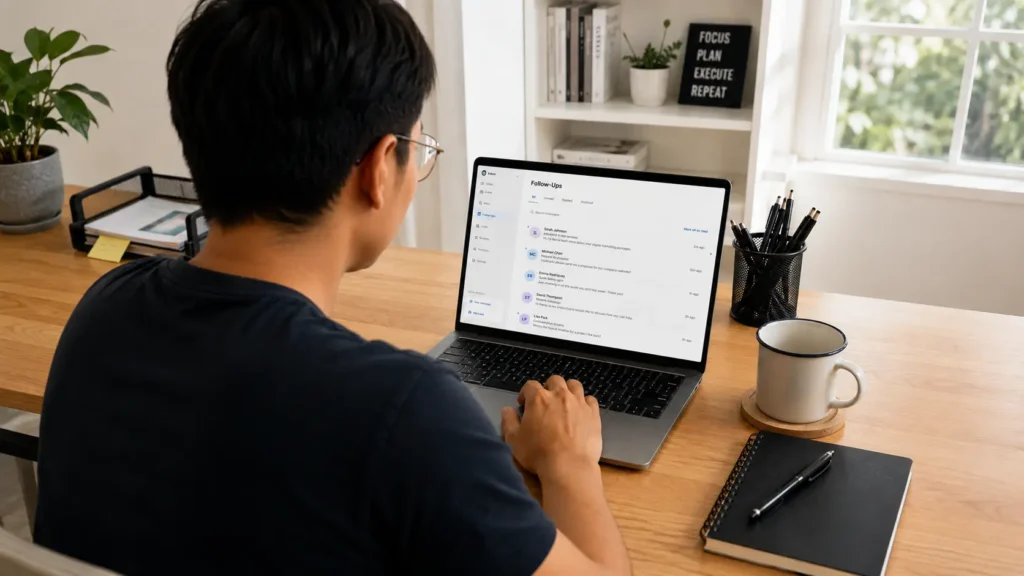
Why Businesses Keep Missing Leads
I’ve seen the same handful of patterns show up across very different industries – clinics, agencies, contractors, e-commerce brands. The details change; the root causes don’t.
- Manual systems rely on memory. If “send the follow-up” lives in someone’s head instead of a workflow, it gets missed the moment that person is busy.
- Disconnected tools create delays. A lead capture form, a separate CRM, and a separate calendar tool mean three manual steps where there should be zero.
- After-hours inquiries sit idle. Most service businesses get a meaningful share of inquiries outside business hours, and most have no system for handling them until morning.
- Nobody owns the follow-up sequence. Marketing generates the lead, sales is supposed to call it, and in the space between the two, it goes cold.
A recent Salesforce report on how stretched sales and service teams already are makes a point worth sitting with: most of the productivity drag teams report isn’t a lack of skill, it’s administrative bottlenecks eating the time that should go toward responding to real demand. Follow-up is usually the first casualty of that bottleneck, because it’s the step that depends on someone remembering to act rather than a system acting automatically.
What Automated Follow-Up Actually Does
This is the part that gets oversold, so let me be blunt about it: automation does not sell for you. What it does is make sure nothing you’ve already earned gets dropped.
A working automated follow-up system should:
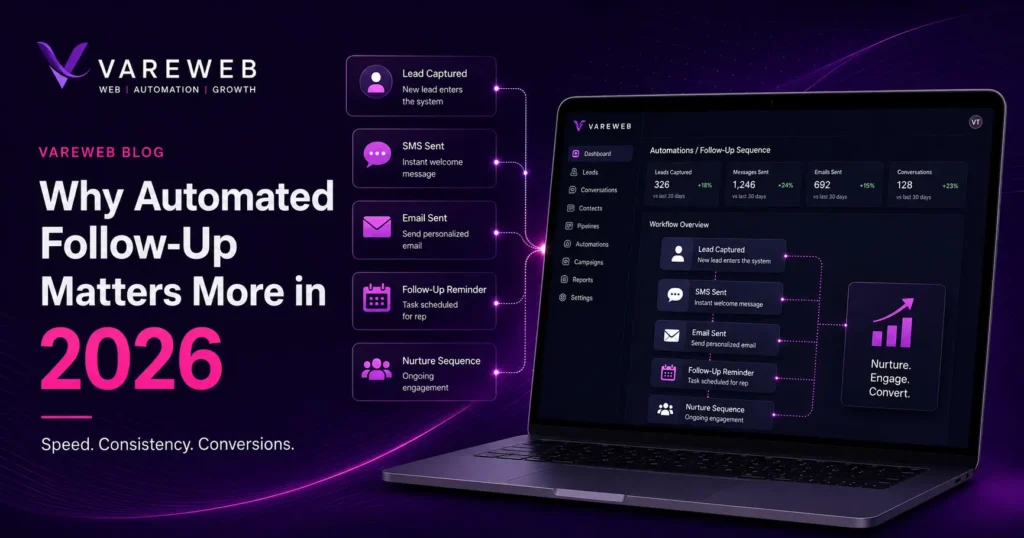
- Acknowledge instantly. The moment someone submits a form, books a call, or messages you, they get a response – even if it’s just confirming you got their request. This single step kills the “did that even submit?” anxiety that makes people go look at a competitor.
- Remind. Appointment coming up? Quote pending a decision? A scheduled reminder does the nagging so a human doesn’t have to.
- Nurture. Not every lead is ready today. A short sequence keeps you visible to the ones who aren’t, without turning into spam.
- Confirm. Bookings, quotes, and orders get a clear confirmation instead of a “we’ll be in touch” that leaves someone wondering.
- Re-engage. No-shows and cold leads get a second (and sometimes third) chance, on a schedule, instead of being written off.
- Hand off to a human. When a lead is hot, qualified, or asking something automation shouldn’t answer, the system routes it to a person – fast.
That last point is the one I push back on the most when clients want to “automate everything.” Good chat-based lead capture can qualify and acknowledge in seconds, but the close still happens between two humans. Automation’s job is to make sure that human conversation actually starts, not to replace it.
What GHL Helps With
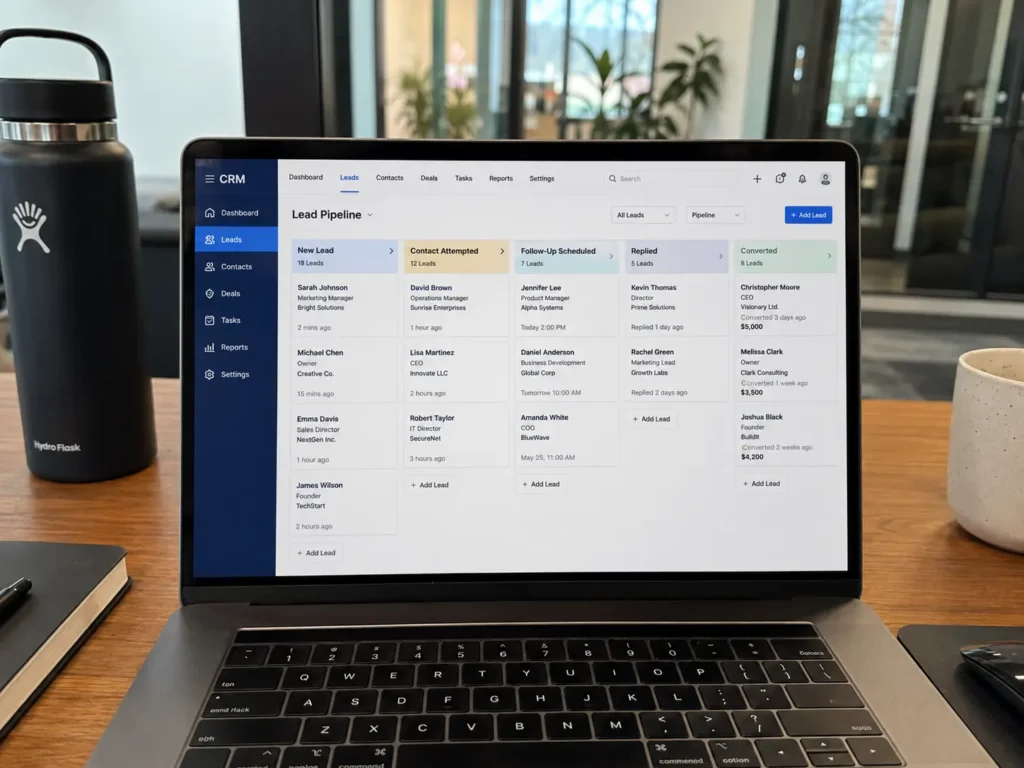
This is where GoHighLevel earns its place in a client’s stack, and where I spend most of my own hands-on time. Specific, practical use cases – not abstract automation theory:
- Inquiry follow-up – every form fill, chat, or DM triggers an immediate acknowledgment and a routed task for the right person.
- Missed-call text-back – a missed call automatically sends a text within seconds, which sounds small until you see how many bookings it recovers.
- Booking confirmations – appointments get confirmed instantly instead of “pending,” which cuts down on the awkward double-bookings I see in manual calendars constantly.
- Estimate reminders – quotes that go quiet get a polite nudge instead of silently expiring.
- No-show reduction – reminder sequences timed before an appointment, not just a confirmation sent once and forgotten.
- Reactivation campaigns – old leads and past customers get re-approached on a schedule instead of sitting in a CRM doing nothing.
- Review requests – sent at the right moment, not the day someone’s already moved on to their next project.
- Pipeline hygiene – stale deals get flagged instead of quietly rotting in a stage nobody’s looking at.
If you’re weighing where automation fits versus where it doesn’t, this is also a good moment to look at where AI fits into a sales funnel without replacing the humans running it – the workflows above are exactly that boundary in practice. For agencies and teams building this out, the GoHighLevel automation builds we run for clients usually start with exactly these eight use cases before anything more advanced gets added.
What Good Automation Looks Like
Good automation is the kind a prospect doesn’t really notice – it just feels like the business is on top of things.
- A fast first response that doesn’t read like a robot wrote it.
- Timing that respects the moment: a quote follow-up two days later, not two hours later.
- Messages relevant to what the person actually asked about, not a generic blast.
- Segmentation by interest or service, so a homeowner asking about a roof repair doesn’t get the same sequence as someone asking about a full remodel.
- A clear human escalation path the moment a lead shows real buying intent.
- Booking and re-engagement flows that recover lost momentum without nagging.
- A volume that respects people’s inboxes. Three well-timed touches beat ten desperate ones.
What Bad Automation Looks Like
I’ve inherited enough broken GHL accounts to know exactly what bad automation looks like, because I’ve had to rebuild it.
- Generic sequences that ignore what the lead actually inquired about.
- Too many messages, too close together, with no logic behind the timing.
- Zero segmentation – everyone gets the same five emails regardless of intent.
- No human handoff, so a genuinely ready buyer keeps getting bot replies.
- Poor timing, like a “still interested?” message sent an hour after someone just replied.
- Automation that feels lazy because it clearly is – copy-pasted, untested, and never revisited.
Bad automation doesn’t just fail to help. It actively damages trust faster than doing nothing would have.
Real-World Business Example
A clinic I worked with was getting a healthy volume of booking inquiries through Google and paid ads. The problem wasn’t visibility. It was that requests submitted after 6 PM sat untouched until the front desk opened the next morning – and by then, a fair number of those patients had already booked somewhere else.
We set up an instant acknowledgment the moment a request came in, a missed-call text-back for after-hours calls, and a simple reminder sequence for anyone who hadn’t confirmed within 24 hours. Nothing exotic. The volume of inquiries didn’t change. What changed was how many of them actually turned into booked appointments, because the gap between “interested” and “responded to” closed from twelve hours to under a minute.
This is the same instinct behind the case study pages that convert better than almost anything else on a site – proof beats theory, and a real before/after is worth more than another paragraph explaining why speed matters.
What To Prioritize First
If you’re starting from nothing, don’t try to automate everything at once. In order:
- Speed to lead first. Instant acknowledgment on every inbound channel. This alone fixes the most common and most expensive gap.
- Core workflows next. Missed-call text-back, booking confirmations, and basic reminders – the bread-and-butter sequences that touch the most volume.
- Human handoff after that. Make sure hot leads get routed to a person fast, not buried in a generic sequence.
- Segmentation once the basics are stable. Different services, different intent, different follow-up – but only after the foundation works.
Buyers are also discovering businesses through more channels than ever, and Google’s own guidance on how AI features are reshaping discovery is worth understanding if you’re trying to figure out where leads are even coming from before you decide how to follow up with them. The source of the lead matters less than the response, but it’s still worth knowing which channels are sending you traffic – Google’s documentation on core updates is a reasonable starting point if your team hasn’t looked at that since last year. And if forms or booking flows are loading slowly before a lead even gets the chance to submit, that’s worth fixing too – the same friction Google measures through Core Web Vitals on the page-experience side is the kind of delay that quietly kills follow-up before automation ever gets a chance to run.
Final Perspective
Automated follow-up isn’t about replacing the people who sell for you. It’s about not wasting the leads you already paid for, earned, or built a reputation to attract.
This isn’t optional anymore, and treating it that way is how leads quietly disappear. A missed lead isn’t just a missed message – it’s missed revenue that already cost you money or effort to generate. Speed protects what you’ve earned. Consistency protects it on the days nobody’s watching closely. Neither one is magic. Both are just systems doing what a busy, fallible human can’t do every single time.
Practical Checklist
- Is every form response acknowledged instantly?
- Are missed calls followed up automatically?
- Are booking requests confirmed without delay?
- Are leads segmented by interest or service?
- Is there a human handoff where needed?
- Are no-shows and abandoned leads re-engaged?
- Are messages relevant, not spammy?
- Are follow-ups timed properly, not just sent fast and forgotten?
- Is the pipeline reviewed regularly for stale deals?
- Are leads being lost simply because nobody answered fast enough?
FAQ
Why is automated follow-up important in 2026?
Because buyer attention spans are shorter and competition is higher – a slow reply now reads as a red flag, not just an inconvenience.
Does automation replace human sales?
No. It protects the leads long enough for a human to actually talk to them. The close still happens person to person.
What’s the biggest reason businesses lose leads?
Slow or missing follow-up, usually because the process depends on one person remembering to act.
Can automated follow-up help with missed calls?
Yes – a missed-call text-back is one of the simplest, highest-return workflows a service business can set up.
Is too much automation bad?
Yes. Over-automated sequences without segmentation or human handoff feel robotic and can cost you the trust you were trying to build.
Does follow-up matter for leads from Google and AI search?
Yes. The discovery channel doesn’t change the rule – once someone reaches out, the same response-speed math applies regardless of where they came from.
What should I automate first?
Instant acknowledgment across every inbound channel, then missed-call text-back and booking confirmations. Segmentation and advanced nurture come later.
Will automated follow-up annoy my leads?
Not if it’s timed and relevant. It annoys people when it’s generic, too frequent, or clearly copy-pasted – that’s a setup problem, not an automation problem.
If there’s one thing I’d want a business owner to take from this: the leads you’re losing right now probably aren’t bad leads. They’re good leads that waited too long for a reply. Fix that gap before you spend another dollar trying to generate more leads to replace the ones quietly slipping through it.